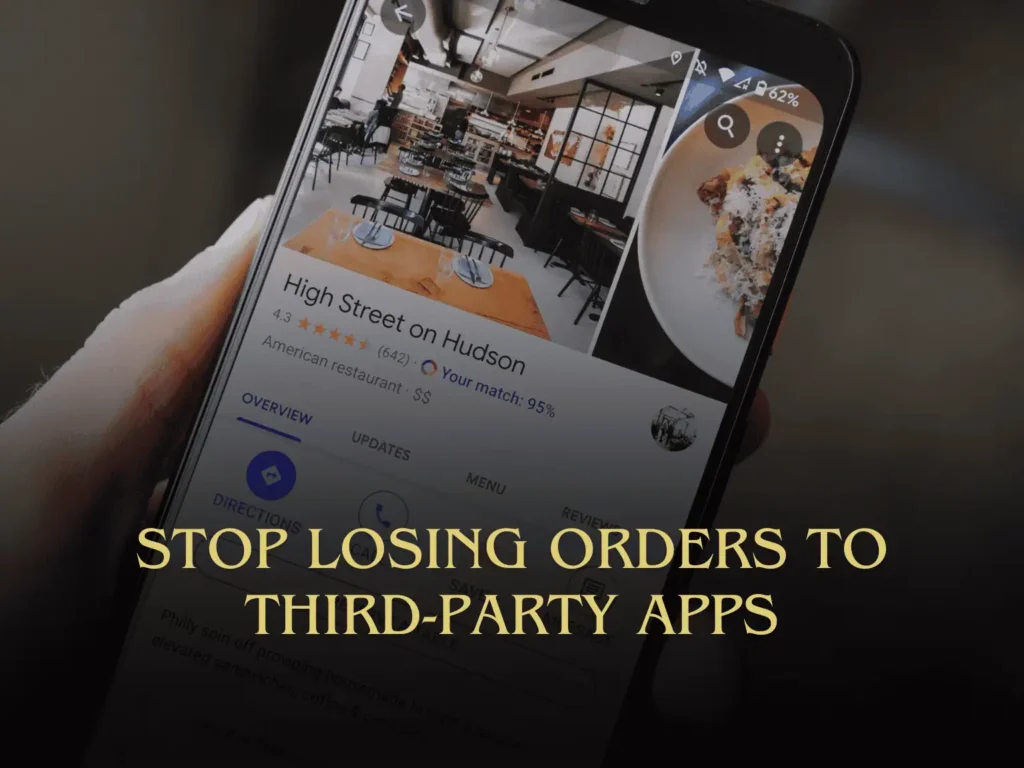
If you run a restaurant, your Google Business Profile (GBP), formerly Google My Business (GMB), could be sending your customers to the wrong place to order.
When a guest searches your name and taps on Order Pickup, if the order goes through a third party link you did not choose, that costs you money.
The good thing is that Google gives restaurants a way to control this. You’re able to manage food ordering links, add your own links, and set your preferred providers for pickup and delivery. You can also remove certain third party providers from your profile.
That matters even more now since off-site sales have become a critical part of restaurant revenue. According to the National Restaurant Association, off-site dining is now an essential part of how people buy food, and 42% of restaurants were not profitable in 2025.
So the real question is: when someone orders through your Google listing, are you directing them to order directly through you or through another set of fees? For many restaurant owners, this is one of the fastest and easiest fixes to take care of.
Why Google Business Profile Ordering Setup Matters for Restaurant Owners
Google Search and Google Maps are at the top of the buyer’s totem pole.
Hungry people search your restaurant and see your hours, photos, reviews, and menu, then tap on the order button. This means your Google profile isn’t just a listing – it’s a sales channel.
If this sales channel leads people to third party ordering which you didn’t pick, you’re immediately throwing margin out the window before the kitchen even starts to cook the order.
What Google Lets Restaurants Control
Google allows restaurants to:
- Add their own food ordering link
- Set a preferred provider for pickup
- Set a preferred provider for delivery
- Remove a specific third party provider
That gives you some clear direction. If your restaurant uses EdgeServ POS for direct online ordering with no fees, you should make sure your preferred pickup link points there. If you also run your own delivery, make sure your preferred delivery link points there too.
Why EdgeServ POS Fits This Strategy
Card Systems’ restaurant POS platform supports fully integrated online ordering, direct POS workflow, branded menus, and local support for restaurants. EdgeServ also stays up during outages because it uses a hybrid setup with a local on-site server instead of solely relying on the cloud.
For restaurant owners, that matters for two big reasons. First, your online ordering should support your own operation, not a third party app. Second, the setup needs to be stable, especially when your staff is busy and guests are hungry.
If cutting fees, speeding up service, and keeping online orders inside your own system are important to you, this is the right way to do it.
How Restaurant Owners Should Set Up Their GBP Ordering
1. Claim and verify your Google Business Profile
You must control the profile in order to control the links, so start there.
2. Review every ordering option in the Food Ordering section
Don’t assume the default order link is the one you want. Open the Food Ordering area and look at every provider and URL attached to the profile.
3. Add your direct ordering link
If EdgeServ is your direct online ordering channel, add that link.
4. Mark your preferred pickup provider
This step is key. For many restaurants, pickup is where they save the most on fees.
5. Mark your preferred delivery provider if you do in-house delivery
Only do this if you run your own delivery and want Google to direct customers there.
6. Remove third party providers that do not belong there
This is another important step. Many owners focus on adding the right links but forget to remove the wrong ones.
7. Test your profile like a customer
Search your restaurant name. Tap Order Pickup and Order Delivery (if you offer it). Make sure the link is right. Don’t trust the setup until you test it.
Common Mistakes Restaurant Owners Make
They think the profile is done
Your Google listing is never “done.” Menus, hours, offers, events, and ordering links change. Keep your GBP up to date with all of these things.
They let third party links sit there for months
That can quietly drain money without you ever noticing.
They ignore mobile testing
Most people don’t order from a desktop computer in an office. They are usually ordering from their couch or in a car. About 66% of restaurant searches occur on mobile devices, according to a report from Hitwise.
What to Do Next
If you’re a restaurant owner or manager, check your Google Business Profile immediately.
Check out your pickup link first since that is where it’s easiest to spot fee bleed fast. Then look at delivery.
Then ask one hard question: When a customer orders from Google, who is really in control of that sale?
If the answer is not you, fix it.
Card Systems works with restaurants across Southwest Florida on restaurant POS and direct online ordering setups that keep orders and revenue flowing through the business instead of extra layers of fees. Card Systems’ restaurant platform, EdgeServ POS, includes integrated online ordering, and the company offers local 24/7 support.
Book a demo and see how to connect your Google Business Profile ordering to your POS so your pickup orders go where you want them to go.