When the dinner rush comes, all of a sudden everyone needs something. A server checks on the burger twice. A takeout order gets placed. Someone asks for a change, but the chef is already working on the next ticket.
All of this is a familiar scenario for most restaurants. Employees work hard; however, it may be difficult to keep track of all the orders.
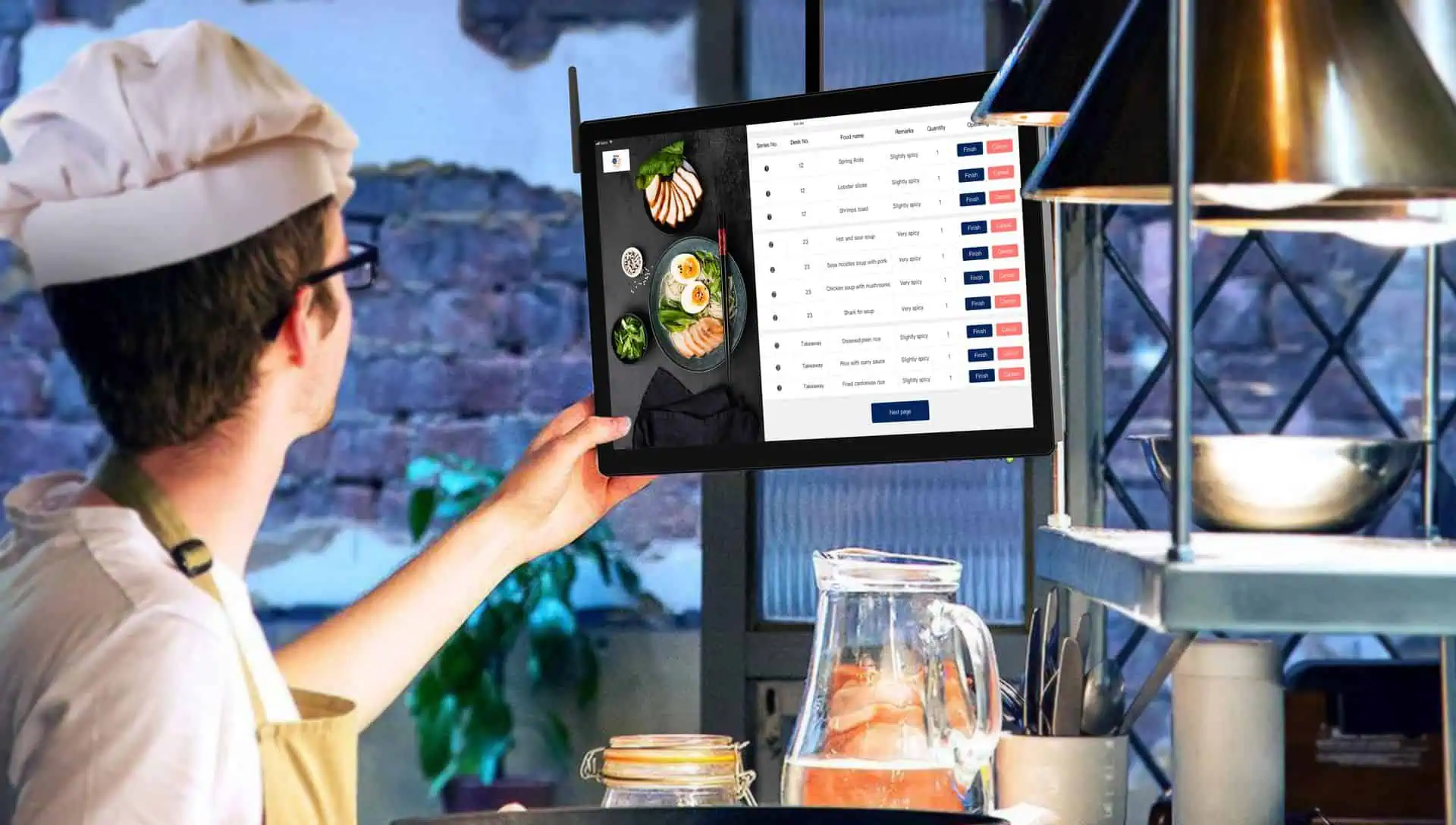
With the help of the kitchen video system (KVS), a hectic kitchen can become more efficient. Usually referred to as the kitchen display system (KDS), it displays orders on a screen which is connected to the restaurant point of sale system.
It can help restaurants in Cape Coral, Fort Myers, and throughout Southwest Florida to handle hectic shifts more efficiently.
What Is a KVS in a Restaurant?
A KVS displays digital order tickets that kitchen staff can easily see. The moment orders are sent to the kitchen from the POS system, they show up on the display.
Staff members can see the items, check special instructions, and close the order once all requirements are met. The screen can show the estimated waiting time, alert staff using color coding, or transfer tickets to other prep stations.
Card Systems’ guide on kitchen display systems describes how such displays help to organize orders behind the scenes.
It is quite simple: less time spent sorting through tickets and more time cooking dishes.
Clearer Orders Help Reduce Mistakes
One tiny mistake and your perfectly cooked dish will turn into a remake. Maybe the guest asked for no onions or maybe the fries were supposed to be subbed out for a side salad.
All that information will show on the kitchen display, where the cooks can easily check.
Special Requests Are Easier to Follow
Imagine a table orders four burgers, each one prepared differently. Item notes help in determining which toppings and sides are meant to be ordered with each burger.
Entering all the correct information is the responsibility of the server. But once the details are entered, the kitchen gets a readable record to follow.
This helps to reduce confusion on the floor, and reduces chances of plates being returned.
Better Timing During the Rush
When many orders are placed close together, it becomes difficult to identify which order should be cooked first.
Ticket timers and color alerts help employees identify pending orders. There is less of a chance of a meal being lost in a stack of papers.
Kitchen displays are some of the suggested tools for enhancing restaurant processes by the National Restaurant Association.
Help Each Station Work Together
Consider a table that orders grilled chicken, French fries, and salad. Each of these items takes a different amount of time.
Using a system with station routing capabilities, the individual stations will have relevant information about their part of the order. A shared expo screen can help the person checking plates to know what is missing.
The idea here is to get the complete table served on time without having to rush at the last minute for a forgotten food item.
Fewer Remakes Can Mean Less Food Waste
Preparing the same meal twice will cost the restaurant more money than the actual cost of the ingredients.
Tickets that clearly show information would help reduce these unnecessary errors.
The EPA’s food waste management tools are designed to motivate restaurants to monitor what they waste and why. This could be helpful in addition to a KVS.
For instance, you can monitor how many times dishes had to be made over again because of unmet requests before and after the KVS was installed.
Less Back-and-Forth Between Staff
“Did you take the order?”
“Is table six almost ready?”
These are normal, common questions. However, too many check-ins may distract the cook.
When employees have access to order information through a KVS, they will not be as likely to disrupt the line. This allows servers to spend more time with their guests and cooks to concentrate on the dishes.
This is also useful for new employees, who are able to easily learn the order flow.
Choose a Kitchen Display That Fits Your Restaurant
While a little café will require one screen, a busy restaurant may need individual screens for the grill, fry station, cold station, and pick-up area.
Identify the common issues first. Do you lose tickets? Do take-out orders distract from dine-in orders? Do your employees miss important notes?
Then find out how a display would work with your restaurant POS system. Each POS system has unique features, and you should ask about order routing, online orders, screen location, training, and backup procedures.
You should also let the people who will use it test it out. What they have to say is crucial.
See What a KVS Could Look Like in Your Kitchen
The only way to get a real understanding on a kitchen video system is to follow the path of an order from beginning to end.
Follow where it goes, how special instructions are interpreted, and how they check it off when it’s done. Imagine this happening during your busiest time of day.